OnboardingRevamp
Onboarding
Revamp
Duration:
Duration:
6 months (2025 Q2-Q3)
6 months (2025 Q2-Q3)
Teams:
Teams:
CXD Noida & CRI Bangalore
CXD Noida & CRI Bangalore
Role:
Role:
Benchmarking, user flows, visual design, Device illustrations, motion design
Benchmarking, user flows, visual design, Device illustrations, motion design
What is it?
What is it?
Context
Context
First impressions in a smart home app are load-bearing. If onboarding a device takes too long, asks too much, or fails silently, users don't retry, they disengage. The Havells One onboarding experience had exactly this problem. Setting up a smart device required users to manually identify their device, follow model-specific reset instructions, and multiple configuration steps that felt technical and unintuitive.
First impressions in a smart home app are load-bearing. If onboarding a device takes too long, asks too much, or fails silently, users don't retry, they disengage. The Havells One onboarding experience had exactly this problem. Setting up a smart device required users to manually identify their device, follow model-specific reset instructions, and multiple configuration steps that felt technical and unintuitive.
Why it exists?
Why it exists?
Problem Statement
Problem Statement
The original Havells One smart device onboarding required multiple manual steps, device selection, and reset step configuration, leading to friction during first-time setup. This complexity increased drop-offs, delayed time-to-value, and made the experience feel unintuitive, especially for users expecting quick, seamless control of their devices.
The original Havells One smart device onboarding required multiple manual steps, device selection, and reset step configuration, leading to friction during first-time setup. This complexity increased drop-offs, delayed time-to-value, and made the experience feel unintuitive, especially for users expecting quick, seamless control of their devices.
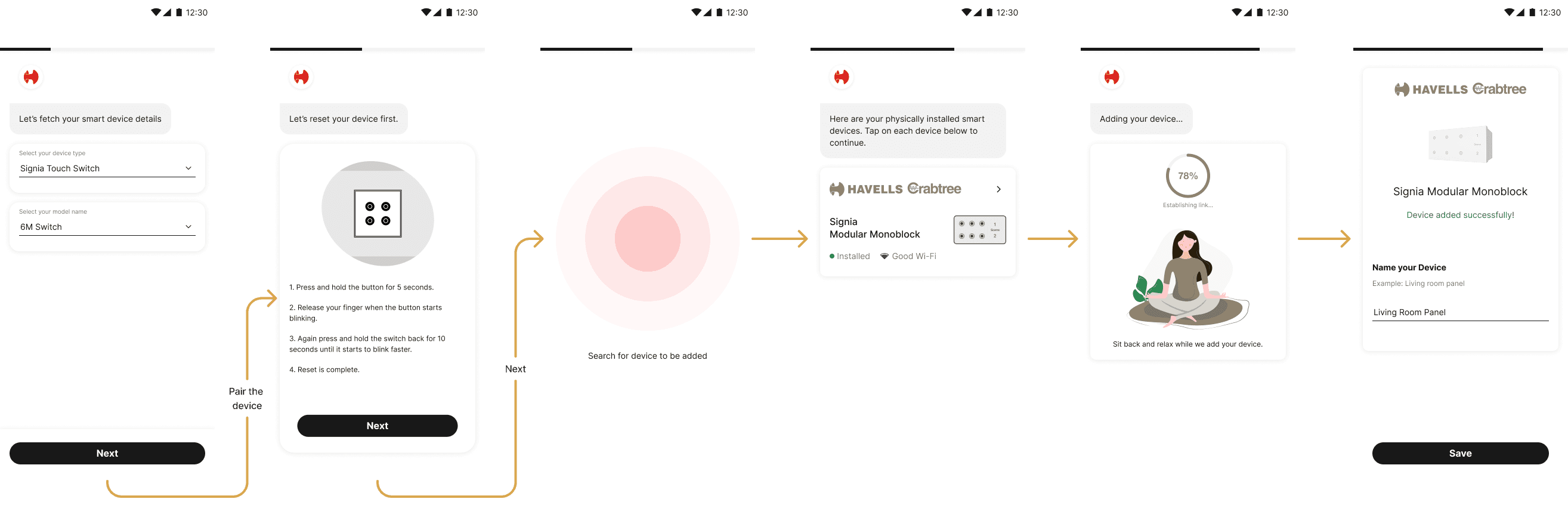
Original device onboarding user flow in Havells One app.
Original device onboarding user flow in Havells One app.
Who is it for?
Who is it for?
Competitor Study
Competitor Study
Before redesigning the flow, we needed to understand the standard users were already being held to. We conducted a structured competitor study across leading smart home platforms: LG ThinQ, Samsung SmartThings, Qubo, Philips, Tapo, and Wiz evaluating each on device pairing speed, discovery method, step count, error handling, and the quality of feedback during setup.
Before redesigning the flow, we needed to understand the standard users were already being held to. We conducted a structured competitor study across leading smart home platforms: LG ThinQ, Samsung SmartThings, Qubo, Philips, Tapo, and Wiz evaluating each on device pairing speed, discovery method, step count, error handling, and the quality of feedback during setup.
Best-in-class experiences auto-detected nearby devices, reduced visible steps by bundling actions, and used clear, device-specific feedback instead of generic loaders.
Best-in-class experiences auto-detected nearby devices, reduced visible steps by bundling actions, and used clear, device-specific feedback instead of generic loaders.
Insights
Insights
These insights shaped three north stars for the revamp: automatic discovery over manual selection, progressive permission handling, and meaningful & contextual wait UX.
These insights shaped three north stars for the revamp: automatic discovery over manual selection, progressive permission handling, and meaningful & contextual wait UX.
What we built?
What we built?
Solution
Solution
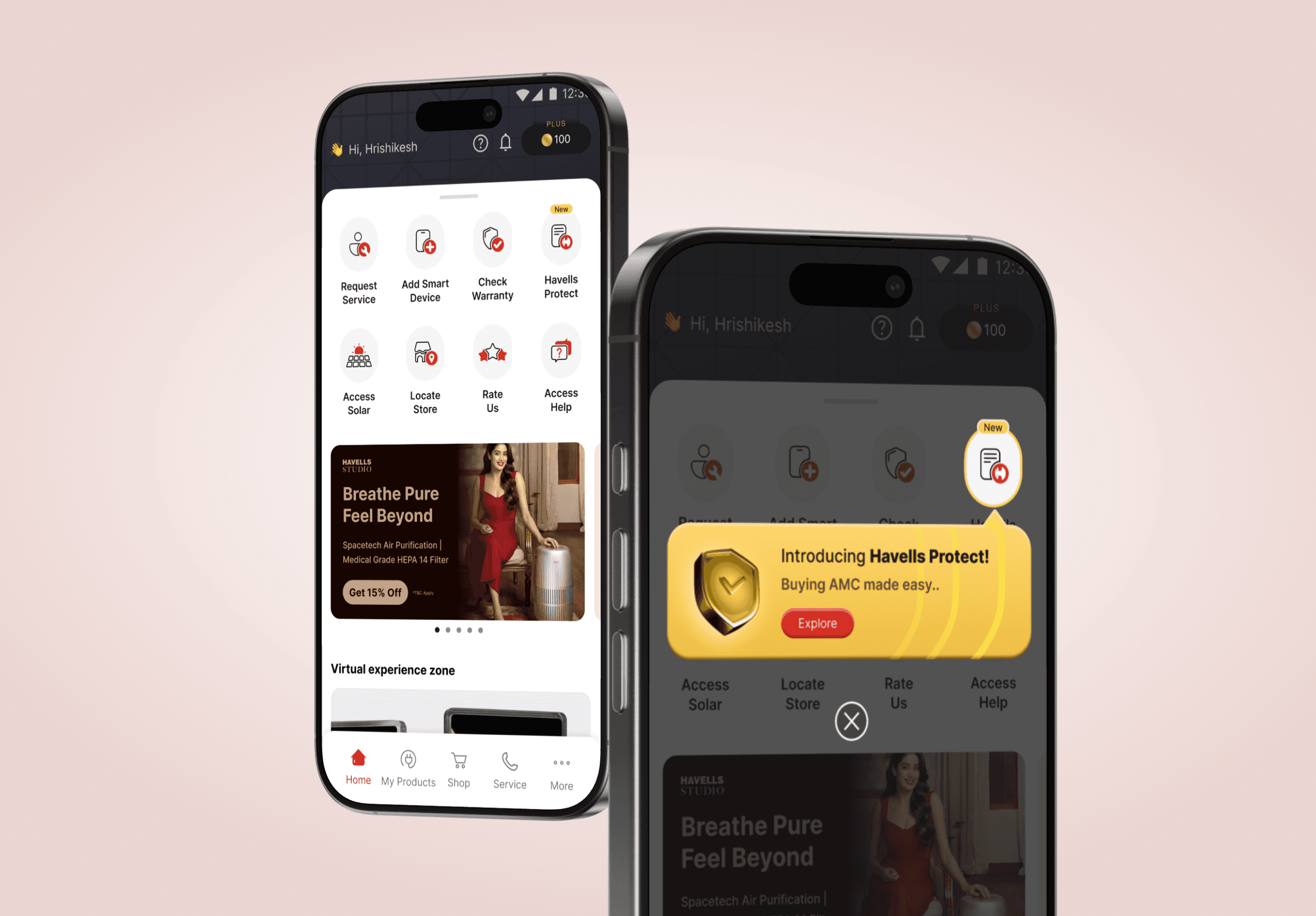
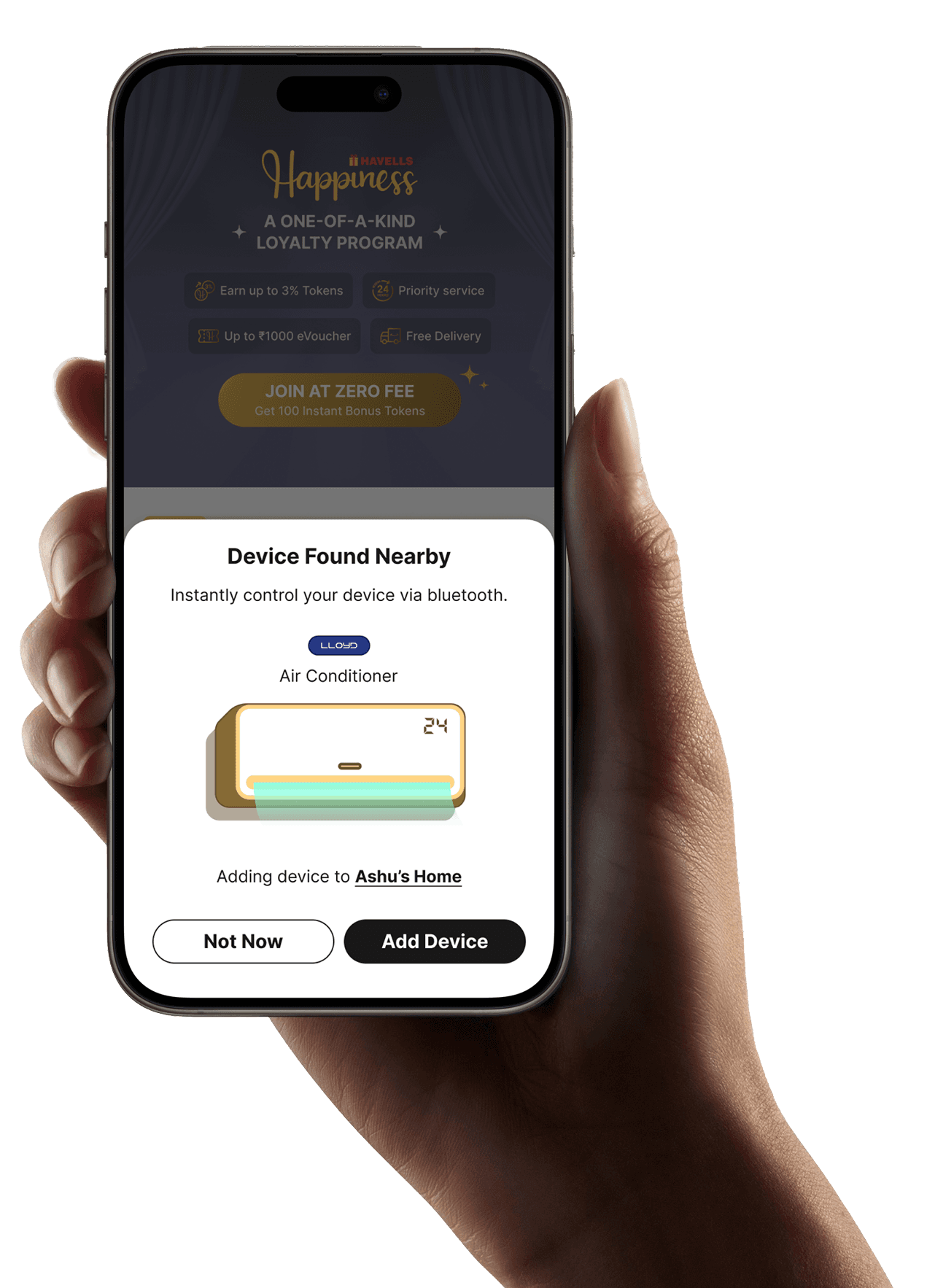
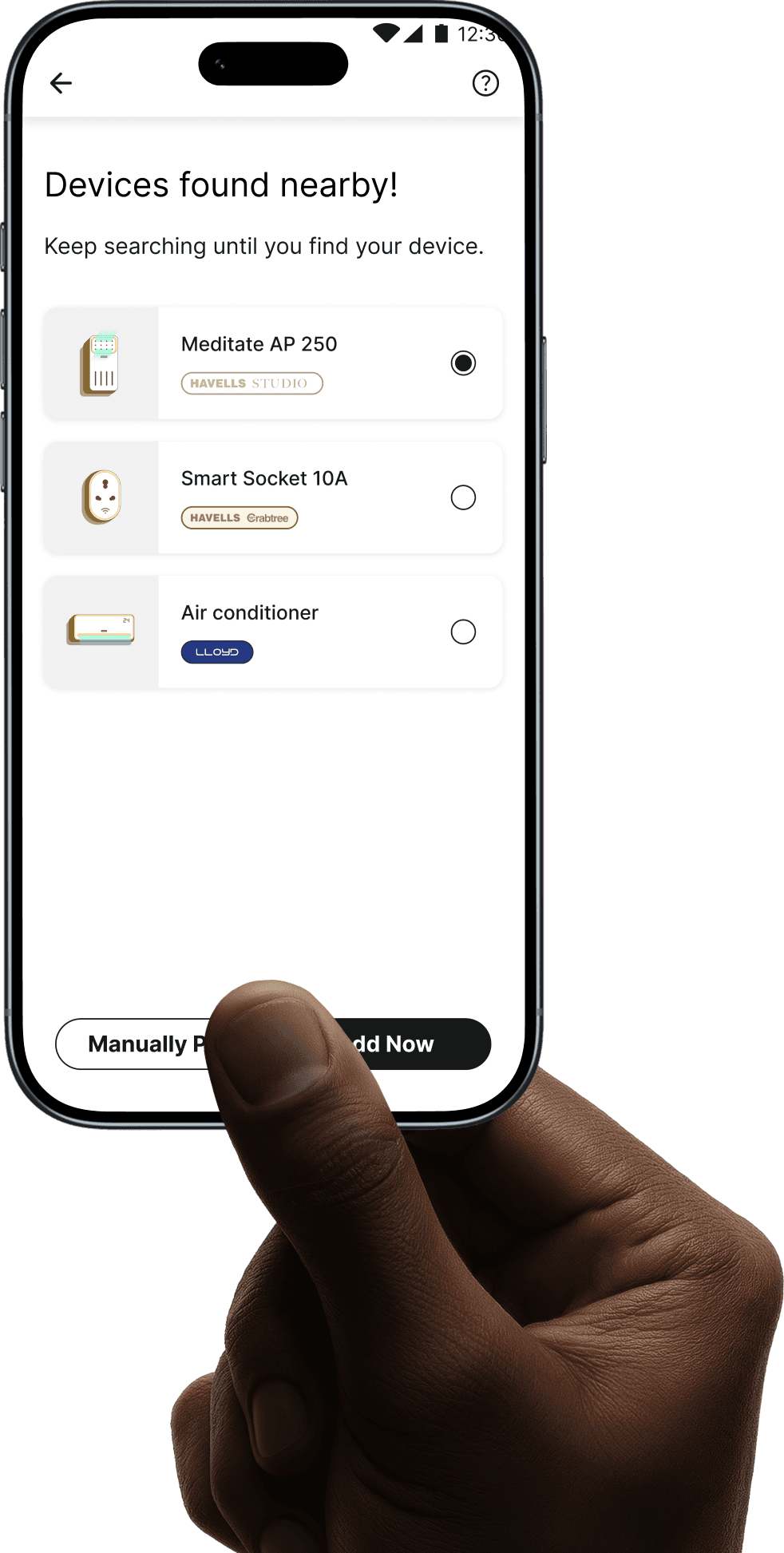
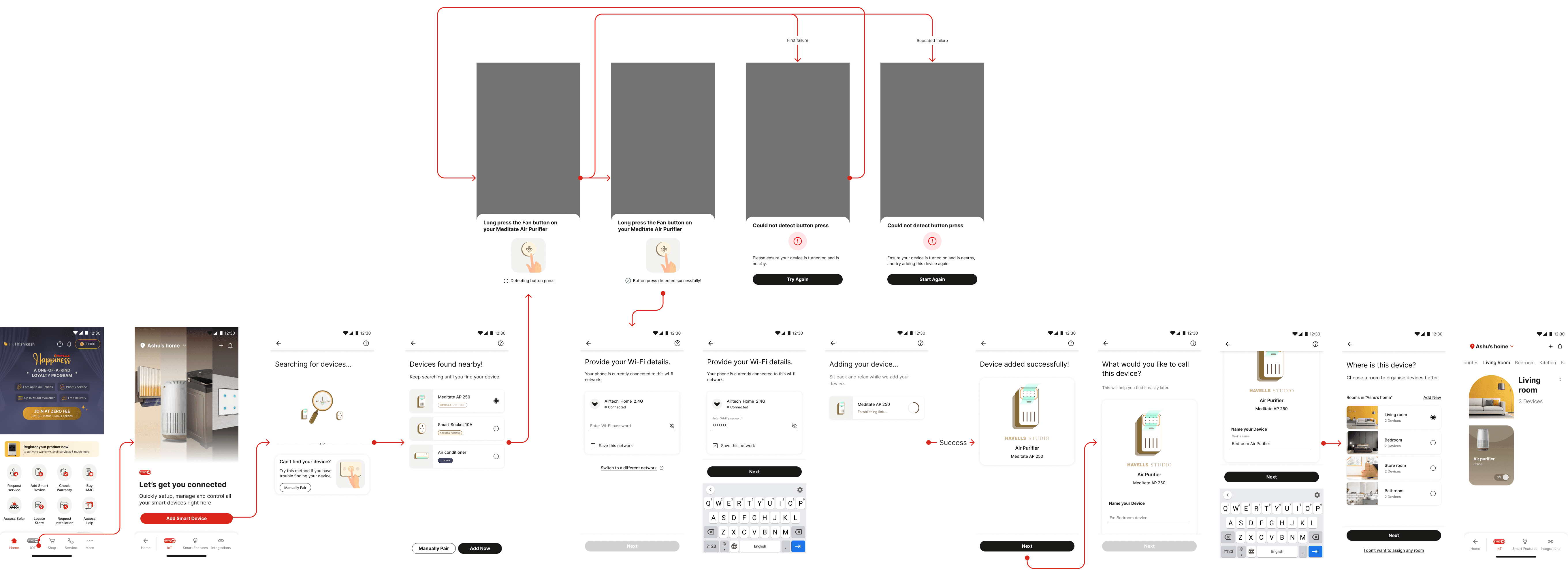
The revamped onboarding experience introduces a one-tap, BLE (Bluetooth Low energy)-powered device discovery flow that automatically detects nearby Havells devices and surfaces them instantly, eliminating the need for manual selection and complex setup steps. The system is designed to minimize friction by guiding users through a fast, intuitive flow with clear feedback at each stage, while also handling real-world scenarios through re-scan options and ownership verification.
The revamped onboarding experience introduces a one-tap, BLE (Bluetooth Low energy)-powered device discovery flow that automatically detects nearby Havells devices and surfaces them instantly, eliminating the need for manual selection and complex setup steps. The system is designed to minimize friction by guiding users through a fast, intuitive flow with clear feedback at each stage, while also handling real-world scenarios through re-scan options and ownership verification.
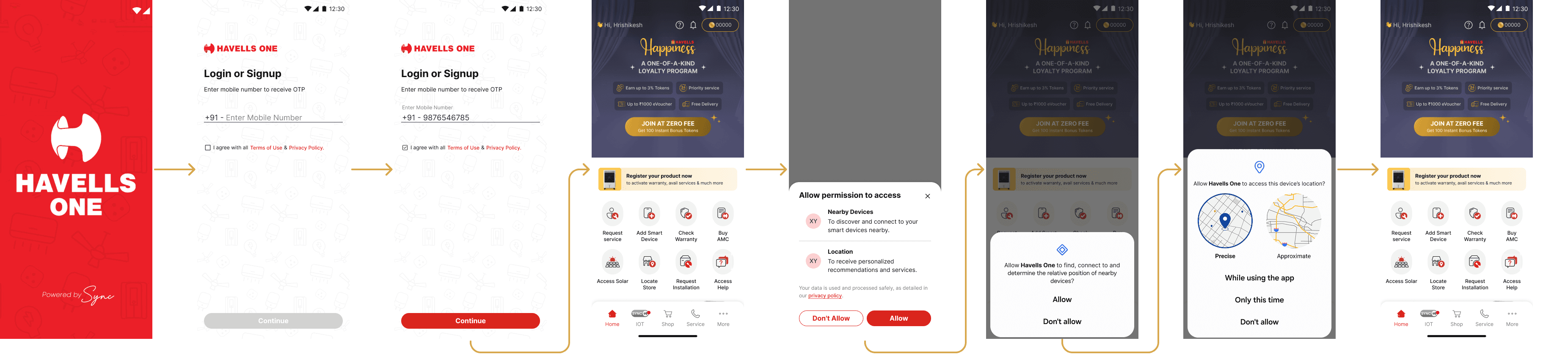
User Permissions
User Permissions
Happy flow
Happy flow
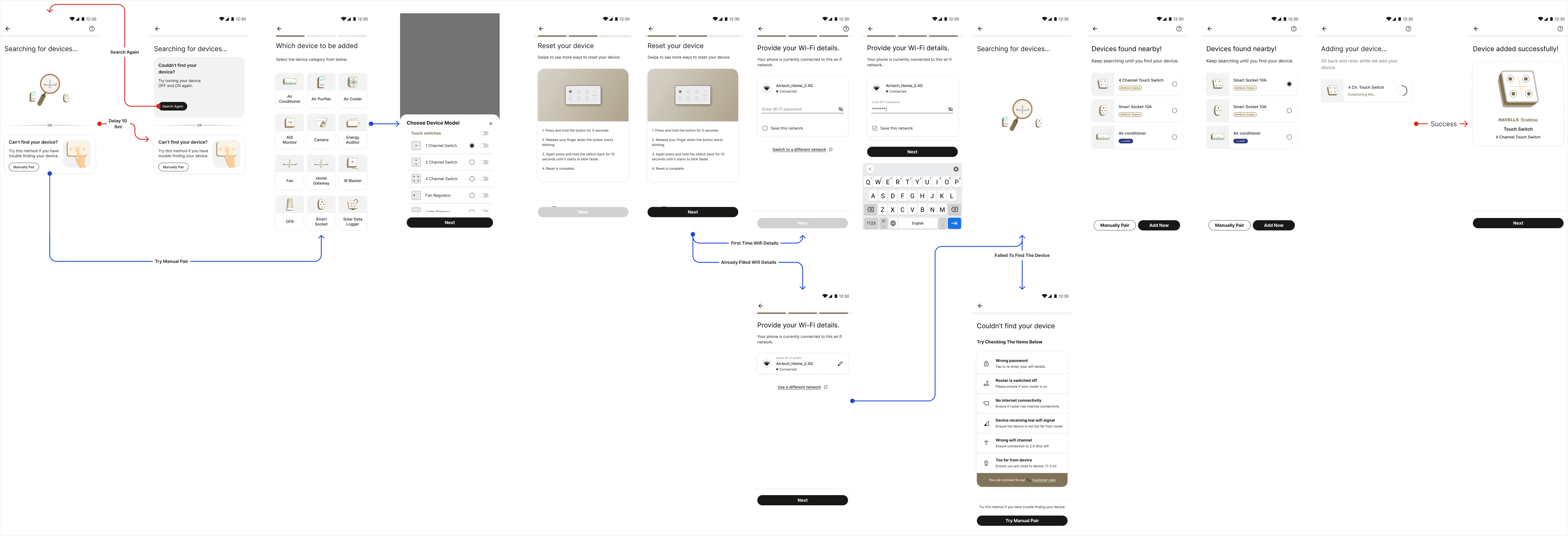
Fallback- Manual Onboarding
Fallback- Manual Onboarding
Device cards Illustrations
Device cards Illustrations
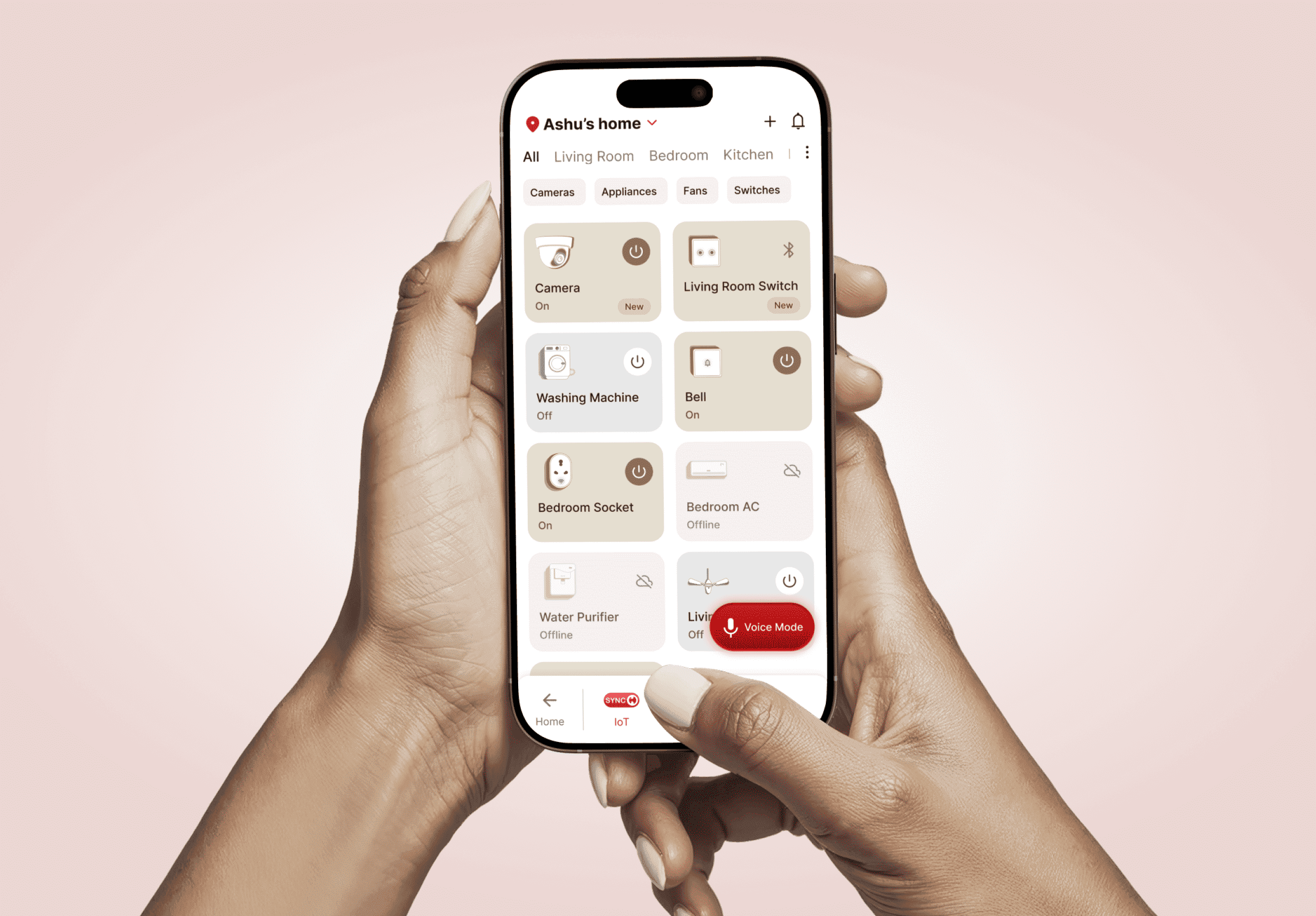
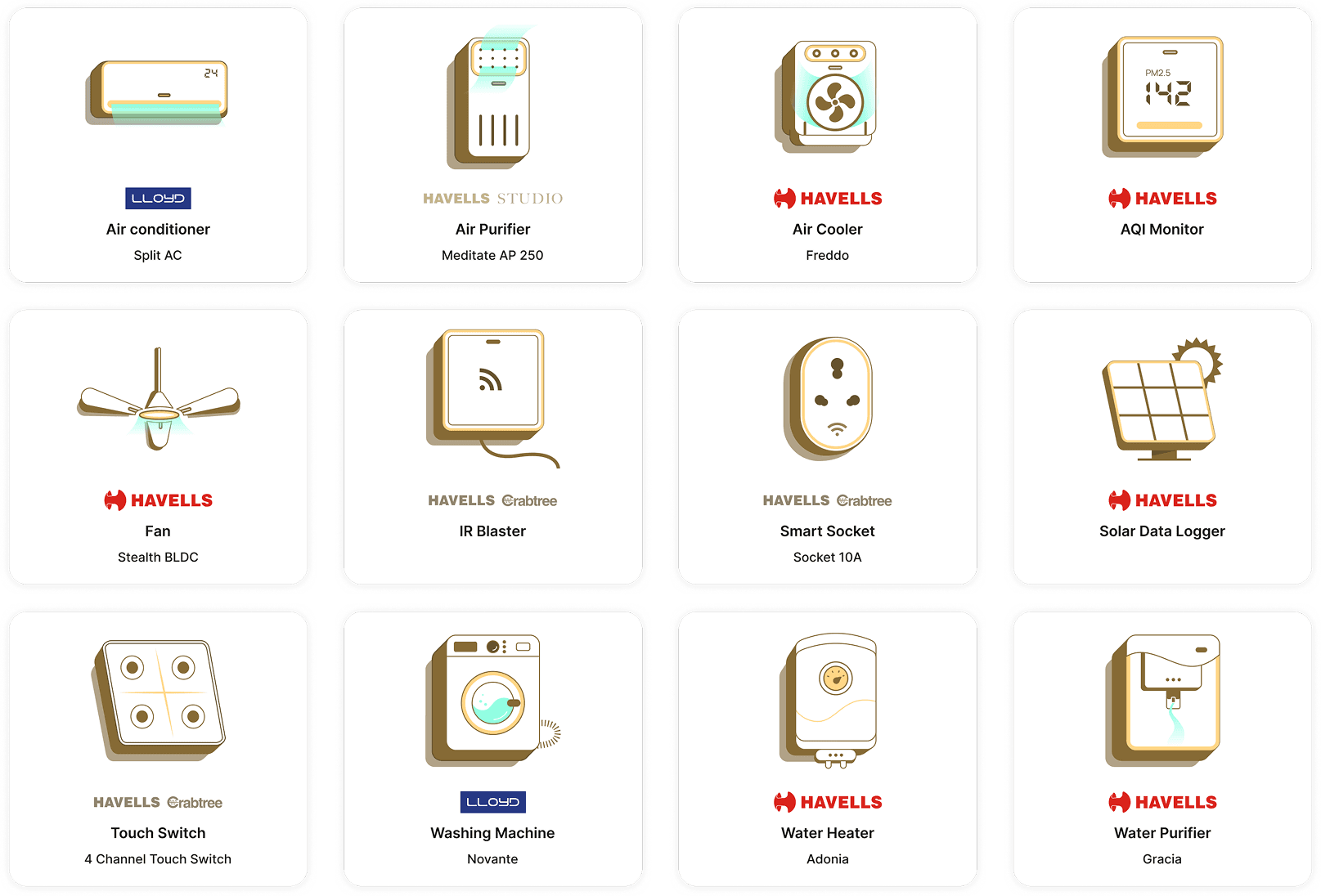
Device cards were a significant visual workstream I owned end to end. I defined the visual language, perspective and level of detail, that would work consistently across the entire Havells hardware range. These illustrations were adopted into the design system and became the foundational visual identity for how connected devices are represented across the app, setting the standard for every surface where hardware is shown.
Device cards were a significant visual design workstream in their own right. Each connected device needed a card that communicated device type, connection status, and available controls at a glance. We created a full library of device illustrations that were visually consistent, immediately recognisable, and designed to work across the range of Havells hardware.
These illustrations became the primary visual identity of the connected home experience inside the app.
Motion Design: Wait state
Motion Design: Wait state
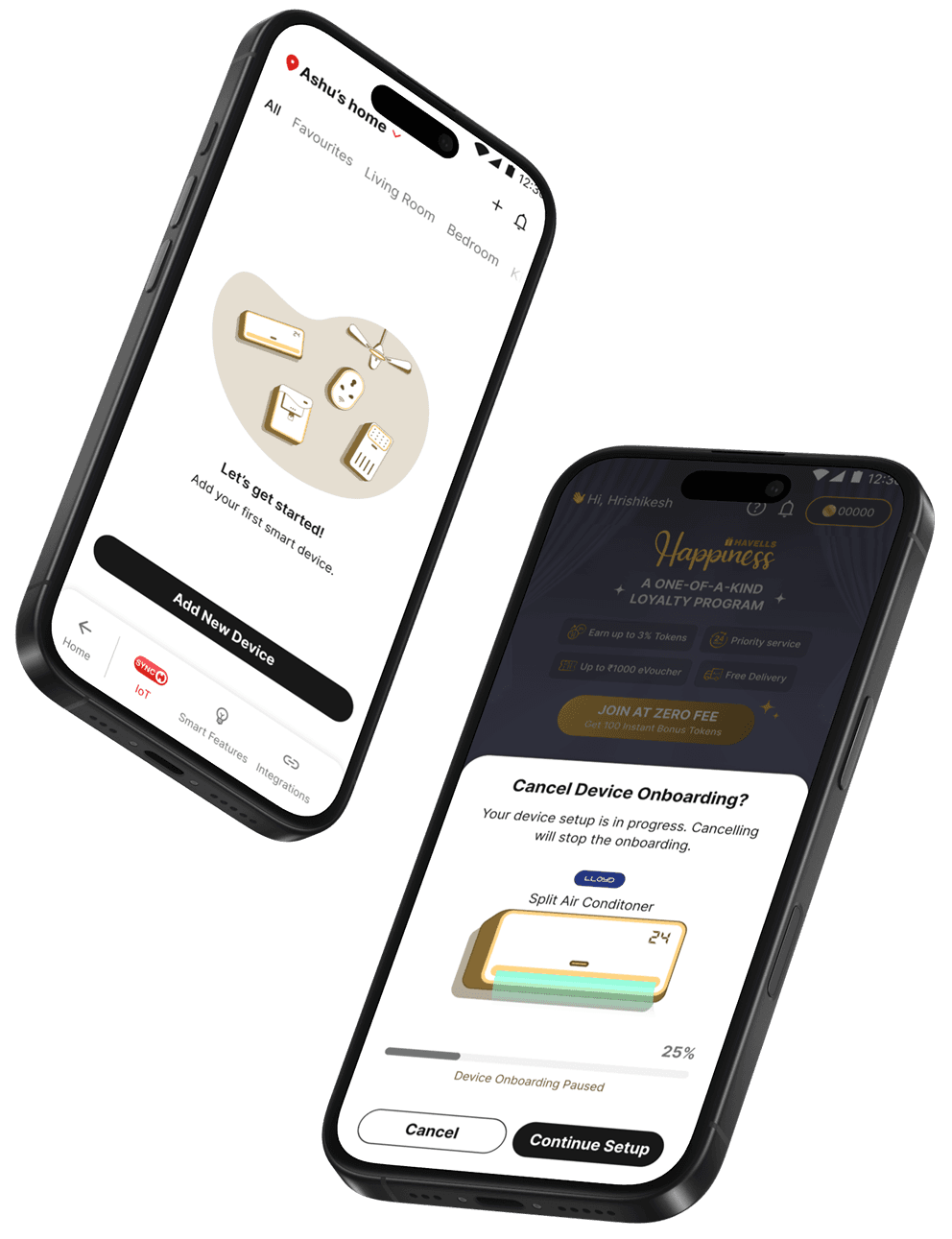
One of the most underinvested areas in the original flow was the wait state - the time between a user initiating an action and the system completing it. A 4-second wait with clear, purposeful animation feels faster than a 2-second wait with a generic loader. We designed device-specific loading states that showed the device being scanned before the nearby devices start populating.
One of the most underinvested areas in the original flow was the wait state - the time between a user initiating an action and the system completing it. A 4-second wait with clear, purposeful animation feels faster than a 2-second wait with a generic loader. We designed device-specific loading states that showed the device being scanned before the nearby devices start populating.
What we chose?
What we chose?
Design Trade offs
Design Trade offs
Speed of discovery vs accuracy of device identification
Speed of discovery vs accuracy of identification
Enabled fast onboarding with BLE-based auto-detection of nearby devices. Accepted lower selectivity and provided fallbacks like re-scan and manual search to handle edge cases. (e.g. a fan might surface before the air purifier the user actually wants to connect)
Enabled fast onboarding with BLE-based auto-detection of nearby devices. Accepted lower selectivity and provided fallbacks like re-scan and manual search to handle edge cases. (e.g. a fan might surface before the air purifier the user actually wants to connect)
Seamless detection vs ownership verification
Seamless detection vs ownership verification
BLE discovery can surface nearby devices beyond the user’s home, risking incorrect onboarding.
We added a lightweight ownership verification (e.g., button press) to ensure accuracy while maintaining speed.
BLE discovery can surface nearby devices beyond the user’s home, risking incorrect onboarding.
We added a lightweight ownership verification (e.g., button press) to ensure accuracy while maintaining speed.
What changed?
What changed?
Key metrics
Key metrics
The revamped flow reduced setup step count from 12 steps to 4, cutting the cognitive load of first-time onboarding significantly. Time-to-value, from app open to first device controlled - dropped from an average of 4 minutes to under 55 seconds in the happy path. Drop-off during onboarding decreased by 62%, and first-session device connection rate improved to 89%.
The device card illustration system shipped as a scalable asset library, covering 18 device types and establishing a visual language for hardware representation that has since been extended across other surfaces in the Havells One App.
The revamped flow reduced setup step count from 12 steps to 4, cutting the cognitive load of first-time onboarding significantly. Time-to-value, from app open to first device controlled - dropped from an average of 4 minutes to under 55 seconds in the happy path. Drop-off during onboarding decreased by 62%, and first-session device connection rate improved to 89%.
The device card illustration system shipped as a scalable asset library, covering 18 device types and establishing a visual language for hardware representation that has since been extended across other surfaces in the Havells One App.
More Case studies
More Case studies